



|
|
|
| BENEFITS FEATURES FREE DEMO PRICING CONTACT US |
FAQMiscellaneousHow to print without browser's header and footer?In Firefox: go to the "File" > "Page Setup" in the top menu, then select "Margin & Header/Footer" tab. In the section "Headers & Footers" set everything to "--Blank--" as shown on the screenshot below and press "OK" button.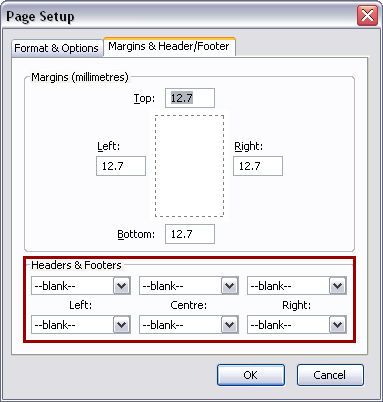 In Microsoft Internet Explorer: go to the "File" > "Page Setup" in the top menu. In the section "Headers & Footers" set everything to "-Empty-" as shown on the screenshot below and press "OK" button. 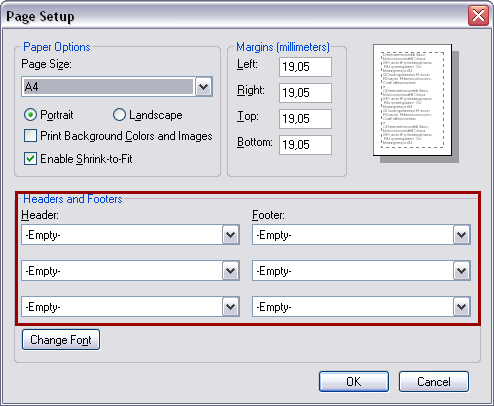 Unfortunately, it's impossible to disable headers and footers in Safari and Chrome. |
 |
Try the demo and evaluate if it's reasonable
Calculate your own price Register now and get a PMS setup fee WAIVED! See what's new in the system.  |
|
© 2006-2024 Landlord Terminal |
Privacy Policy
|
Service Level Agreement
|
System Requirements
|
Frequently Asked Questions
|

|